Full Description
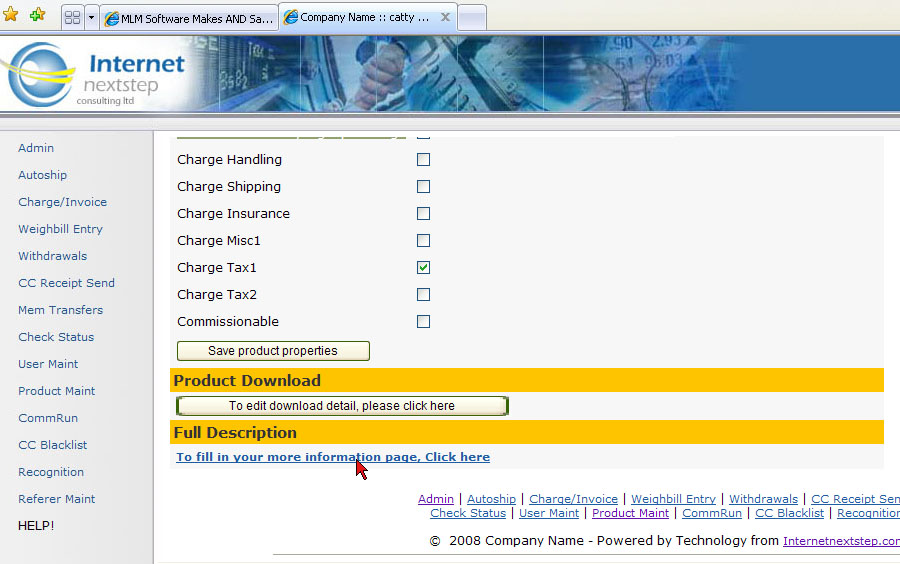
Go to Admin > System > Product Maint
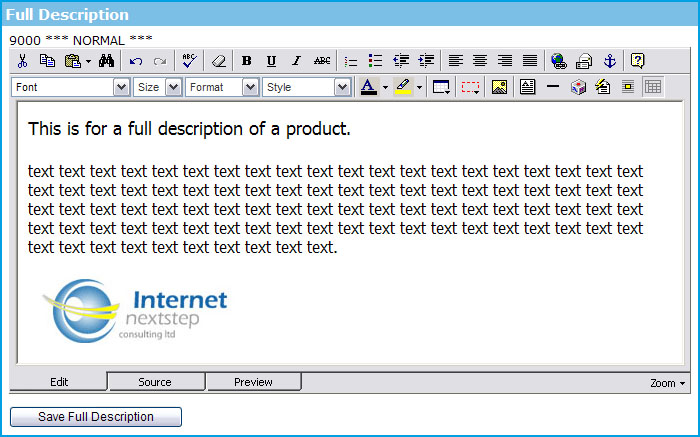
Click on Edit next to product that you wish to add a full description for then scroll down to the last section called "Full Description". This is where you can fill in a full page of information for each product. If viewing a category this is part of the information that appears when the "More Details >>" button is clicked.
This page will automatically show the ability to add to cart as well as pricing from product configuration. You can hotlink to this page from any other custom page in your system so it is a powerful way to have information stored in 1 place but accessible from many.
Cart Menus
Add a Category
Add a Product & Step 2 of Product Entry
Item Code, Item Description, and Other Item Code
Product Price & Volume
Product Details
Product Stock, Package Contents & Product Properties
Full Description
|